
To help your business stand out in local search, Local Schema Markup is one of the most powerful yet underrated tools available. It helps search engines like Google understand your business better. This increases your chances of showing up in Google Maps and the local pack.
Let’s discuss more about Local Schema Markup in this blog.
What is Local Schema Markup?
Schema markup is a type of structured data that you add to your website. It tells search engines clear details about your business. For local businesses, Local Schema Markup includes:
- Business name
- Address
- Phone number
- Opening hours
- Services offered
- Reviews and ratings
When Google gets this structured data, it shows more accurate information about your business in search results. This can mean better visibility, more clicks, and higher trust from customers.
You can check more about schema at schema.org.
Why is Schema Markup Important for Local SEO?
Without schema, search engines may struggle to understand your business details. With schema, your chances of ranking in local searches increase.
Here’s how schema markup helps:
- Improves Google Maps and local pack rankings
- Shows rich snippets like reviews, ratings, and hours in results
- Builds more trust with customers by showing accurate information
- Supports voice search optimization
For example, if someone searches “restaurant near me open now,” schema markup ensures Google knows your exact hours and location.
How to Implement Local Schema Markup?
Implementing schema may sound technical, but it is not too complex. Here are practical steps you can follow:
1. Use the Right Schema Type
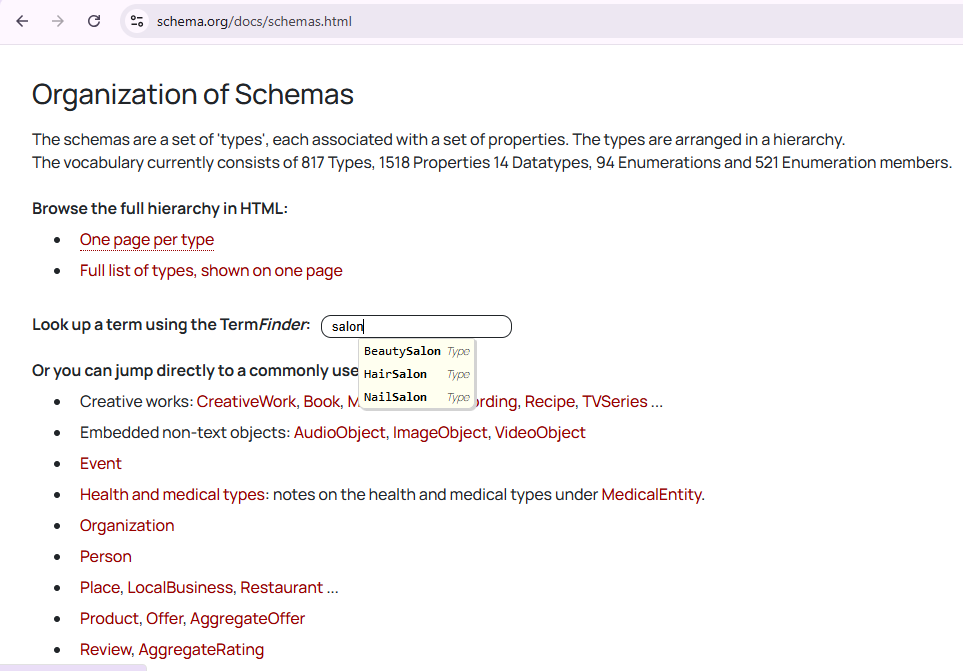
Source: schema.org
Go to Schema.org and choose Local Business or a more specific type like Restaurant, Hotel, or Salon.
2. Add JSON-LD Code to Your Website
Google recommends using JSON-LD format for schema. Here’s an SEO-optimized JSON-LD schema sample for your restaurant with all recommended fields added:
{
“@context”: “https://schema.org”,
“@type”: “Restaurant”,
“name”: “Your Business Name”,
“image”: “https://www.yourwebsite.com/images/restaurant-front.jpg”,
“@id”: “https://www.yourwebsite.com/#restaurant”,
“url”: “https://www.yourwebsite.com”,
“telephone”: “+1-212-555-1234”,
“priceRange”: “$$”,
“servesCuisine”: [“Italian”, “Pizza”, “Pasta”],
“address”: {
“@type”: “PostalAddress”,
“streetAddress”: “123 Main Street”,
“addressLocality”: “New York”,
“addressRegion”: “NY”,
“postalCode”: “10001”,
“addressCountry”: “US”
},
“openingHoursSpecification”: [
{
“@type”: “OpeningHoursSpecification”,
“dayOfWeek”: [
“Monday”,
“Tuesday”,
“Wednesday”,
“Thursday”,
“Friday”
],
“opens”: “09:00”,
“closes”: “22:00”
},
{
“@type”: “OpeningHoursSpecification”,
“dayOfWeek”: [
“Saturday”,
“Sunday”
],
“opens”: “10:00”,
“closes”: “23:00”
}
],
“sameAs”: [
“https://www.facebook.com/yourrestaurant”,
“https://www.instagram.com/yourrestaurant”,
“https://www.twitter.com/yourrestaurant”
]
}
3. Validate Your Code
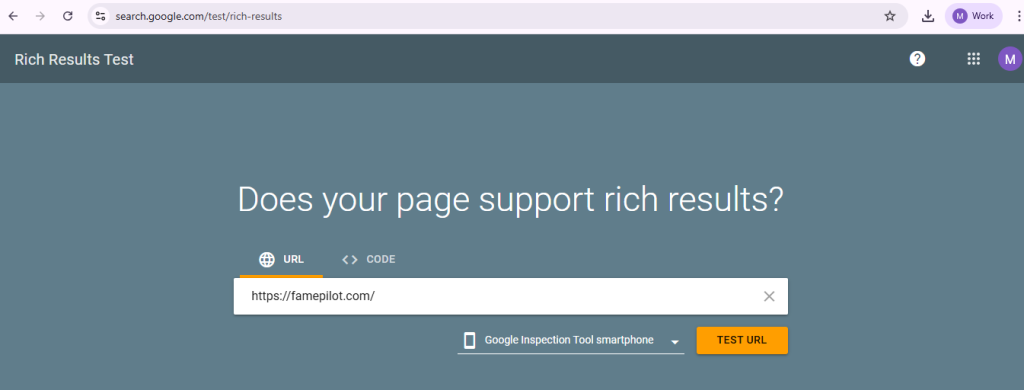
Source: Google Rich Results Test
Use Google’s Rich Results Test to check if your schema is valid.
4. Keep Information Consistent

Source: Google Business Profile Information of Famepilot
Your schema markup should match the details on your Google Business Profile and other listings. Consistency builds trust with search engines.
Best Practices for Local Schema Markup
Here are some of the tips for you to follow:
- Always include Name, Address, Phone (NAP) in schema.
- Add customer reviews and ratings if possible.
- Update schema whenever your business hours or services change.
- Use schema for multiple locations if you run a chain.
How Famepilot Helps with Schema Markup and Local SEO?
Adding Local Schema Markup manually can be time-consuming. This is where experts at Famepilot can help you.
Famepilot also helps businesses manage their online local presence with its comprehensive Online Reputation Management Platform that includes Review Management Console, Listing Management Console, Social Listening Console.
Our GBP expert team also offers services like Store Locator, Business Listings Optimisation, and Local SEO services. Thus, when you partner with us, you get everything you need for a excellent online visibility of your business in one place.
With Famepilot, you can:
- Ensure accurate business listings across platforms
- Track keyword rankings and local performance with tools like GeoGrid Ranker
- Collect and manage customer reviews to boost prominence
- Keep your data consistent across Google, Yelp, Zomato, and other industry specific platform.
When your listings and reviews are accurate, schema works even better. This improves your local visibility and bookings.
Final Thoughts
Local schema markup is not just for developers. It is a practical SEO tool for every business. When combined with listing management and review monitoring through a SaaS platform like Famepilot, it becomes even more powerful.
To stay ahead in local search rankings, start implementing schema markup today. Then, pair it with the right tools to maintain accuracy and visibility.
Liked this article? Visit the Blog Section of our website, where you can find our other resources.
Need expert advice on how to boost your business’s online presence? Give us a ring and let’s connect to discuss your goals!
Our email id – [email protected]
Book a Demo with Us – https://famepilot.com/product-demo/
Our Contact Us (form) – https://famepilot.com/contact-famepilot/