Your Google Business Profile (GBP) is often the first thing potential customers see when searching for your business online. A well-optimized profile can increase visibility, build trust, and drive more calls, visits, and bookings.
But many businesses struggle to set it up the right way. Let’s look at best practices for claiming, verifying, and optimizing your Google Business Profile (GBP), so you can get the most out of local search.
8 Must-Follow Steps to Optimize Your Google Business Profile (GBP)
An optimized Google Business Profile leads to increased traffic, more business opportunities, and higher customer satisfaction. Follow the steps below to make your GBP your successful lead magnet:
1. Claim and Verify Your Business
Before anything else, you need to claim your Google Business Profile. If you don’t, someone else might create inaccurate information about your business. Without verification, your updates won’t appear on Google Search or Maps.

- Go to Google Business Profile Manager.
- Search for your business name.
- If you see your listing, claim it. If not, create a new one.
- Google will ask you to verify via postcard, phone, or email. Verification proves you’re the legitimate owner.
2. Ensure NAP Consistency (Name, Address, Phone)
Your business name, address, and phone number (NAP) must be accurate and consistent across the web. Even small differences like “Street” vs “St.” can hurt your local SEO.
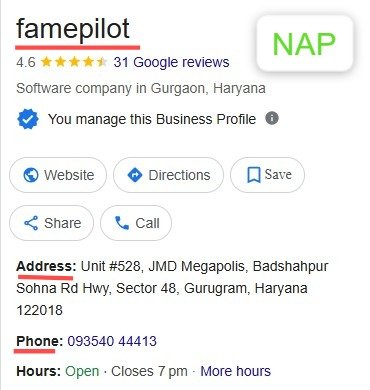
- Use the exact same NAP format on your website, directories, and social media.
- Double-check map pin location to avoid confusing customers.
- Add multiple service areas if you serve beyond one location.
- Consistency builds trust with both Google’s algorithm and your customers.
3. Choose the Right Categories
Categories tell Google what your business does. Choosing the most relevant one helps you appear in the right searches. The more precise your categories, the more qualified your traffic.
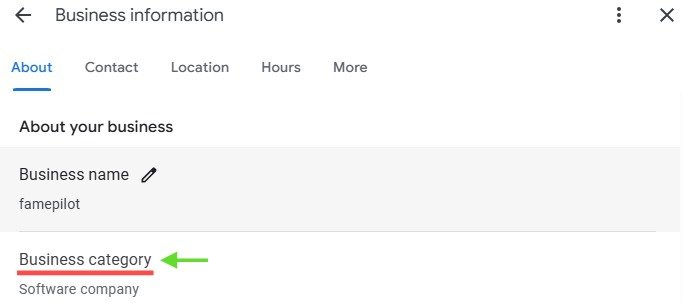
- Use a primary category that describes your core business (e.g., “Italian Restaurant,” “Dental Clinic,” “Hotel”).
- Add secondary categories for services you also provide (e.g., “Pizza Delivery,” “Cosmetic Dentistry,” “Event Venue”).
- Don’t spam with irrelevant categories; it can harm ranking.
4. Add High-Quality Photos and Videos
Customers trust businesses with visuals. In fact, businesses with photos get 42% more requests for directions and 35% more website clicks (Google data).
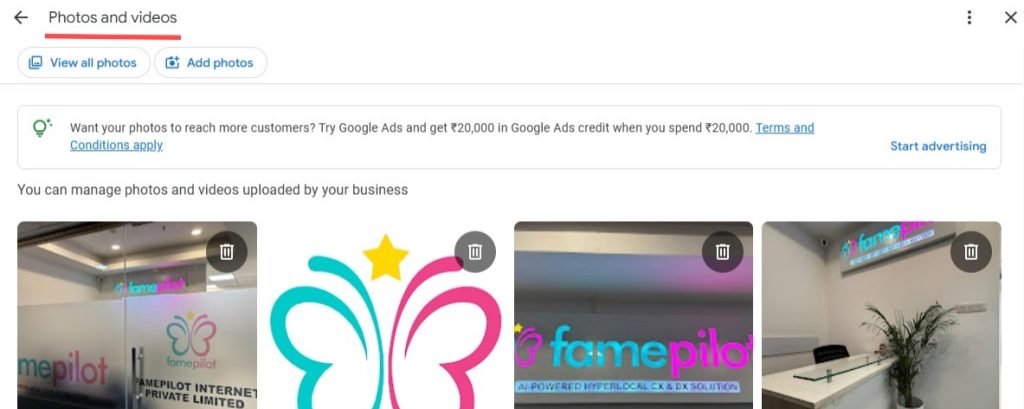
- Upload clear exterior and interior photos.
- Add team, menu, or product photos.
- Post short videos introducing your services.
- Keep updating images to show you’re active.
- Fresh, real photos improve both customer trust and local SEO performance.
Want to rank your business higher locally? Read this guide.
5. Write a Compelling Business Description
Your business description helps customers understand what makes you unique.
Don’t stuff keywords; Google prefers authentic and useful descriptions.
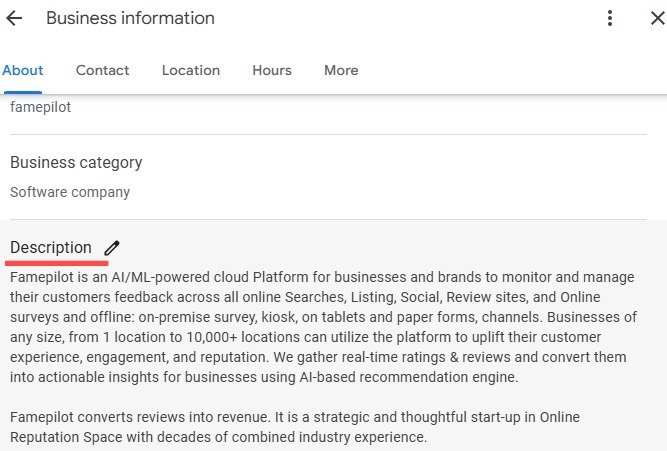
- Write in simple, natural language.
- Include keywords naturally (e.g., “family-friendly restaurant in Mumbai” or “affordable dental care in Delhi”).
- Highlight unique selling points- delivery options, 24/7 service, eco-friendly practices, etc.
6. Use Posts and Updates
Regular posts signal activity and improve engagement.
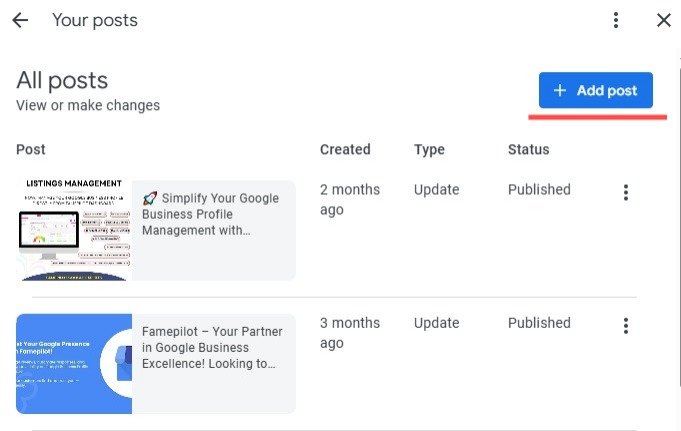
- Think of GBP as your mini social media profile on Google.
- Share updates, promotions, or events.
- Post weekly to stay relevant in search results.
- Use images and CTAs like “Book Now,” “Call Today,” or “Learn More.”
7. Collect and Respond to Reviews
Reviews are the heart of online reputation management. Consistent review management boosts trust and ranking.
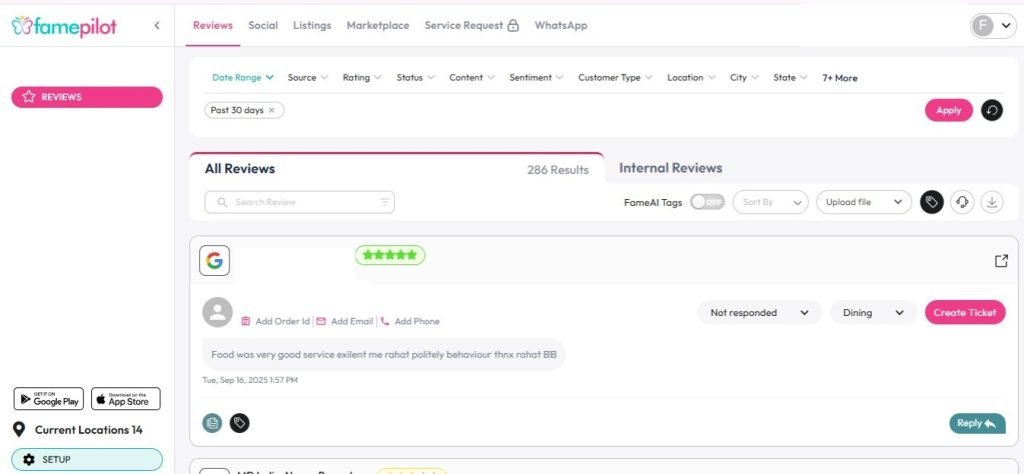
Famepilot Review Management Dashboard
- Ask happy customers to leave reviews.
- Reply to every review, both positive and negative.
- Use polite, professional, and empathetic language.
- Show appreciation for feedback and address concerns promptly.
8. Track Insights and Performance
Google provides analytics (Insights) about how customers find and interact with your listing. Data-driven optimization ensures your profile continues to bring in results.
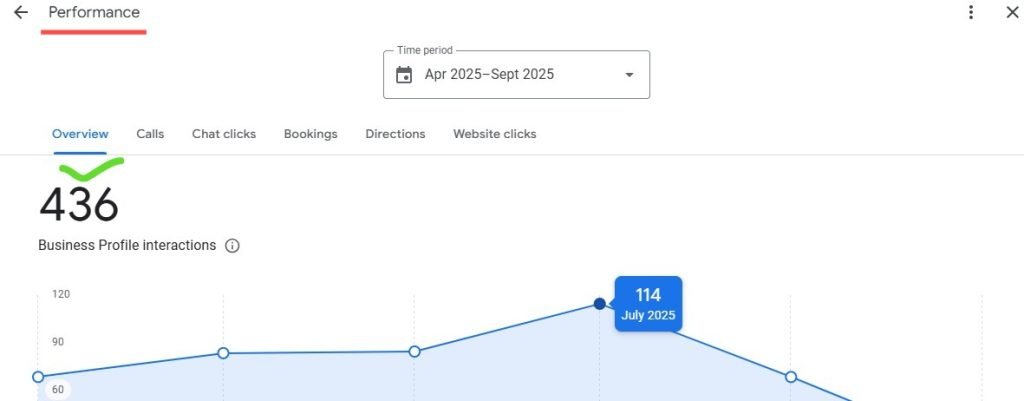
- Track searches (direct vs. discovery).
- Monitor calls, directions, and website clicks.
- Use this data to adjust your GBP strategy.
Conclusion
Optimizing your Google Business Profile is one of the most effective ways to improve local SEO and customer experience. A complete and accurate profile helps your business show up more often, attract the right customers, and build credibility.
If managing and optimizing multiple locations feels overwhelming, Famepilot’s Saas Platform can help with bulk updates, review management, local SEO tracking, and performance insights, all from a single dashboard.
Start with the basics today, and your Google Business Profile will become a powerful driver of your business growth. Want to know more or need expert advice? Connect to us via
Our email – [email protected]
Book a Demo with Us – https://famepilot.com/product-demo/
Our Contact Us (form) – https://famepilot.com/contact-famepilot/